Workflow Version: What happens while it runs?
The Conductor workflow can be versioned, which means you can have multiple versions of the same workflow.
This document discusses the behavioral pattern of how the workflow version works while the workflow is running.
Workflow Versions: General Behavior
When a workflow is run, each execution is run based on the snapshot of the workflow version at the execution time.
While running a workflow, there is an option to choose the workflow version. If a version is not selected, it will always run the latest version. You can safely add a newer workflow version, and the subsequent execution will pick this newer version. If you want to trigger an older version, you must explicitly run the specific version.
To get a better understanding, let’s have a look at the following illustration:
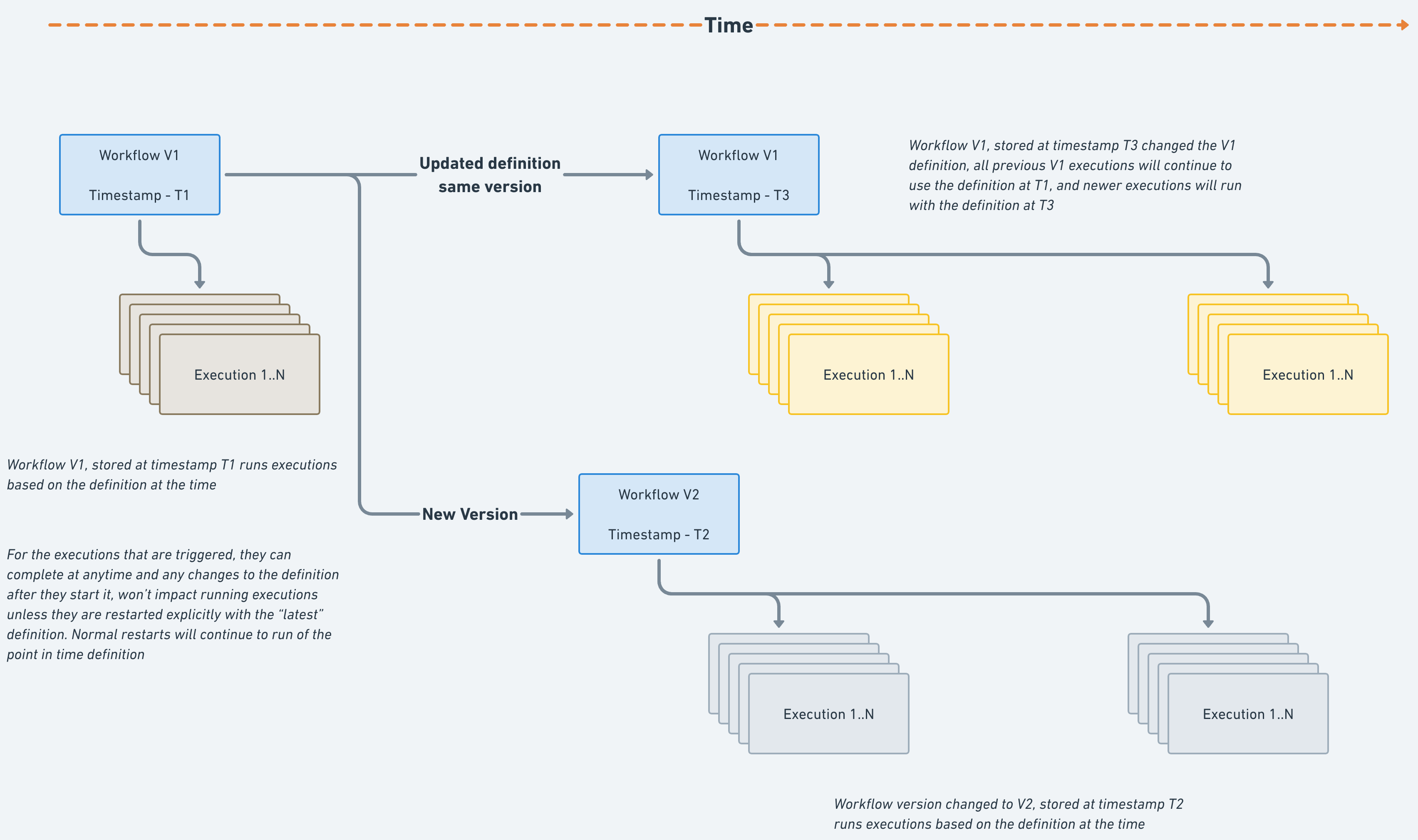
Suppose a workflow with version V1 is executed at timestamp T1. It will run the workflow definition at that time.
If the workflow definition is updated but with the same version V1:
- In this case, all the previously running executions will run based on the timestamp T1 itself.
- Any new execution with version V1 would run at the latest timestamp, i.e., in this example, at T3.
If the workflow version is changed to V2:
- On rerunning the workflow (say at T2), it runs based on the latest version V2.
Changing a running version - A workaround
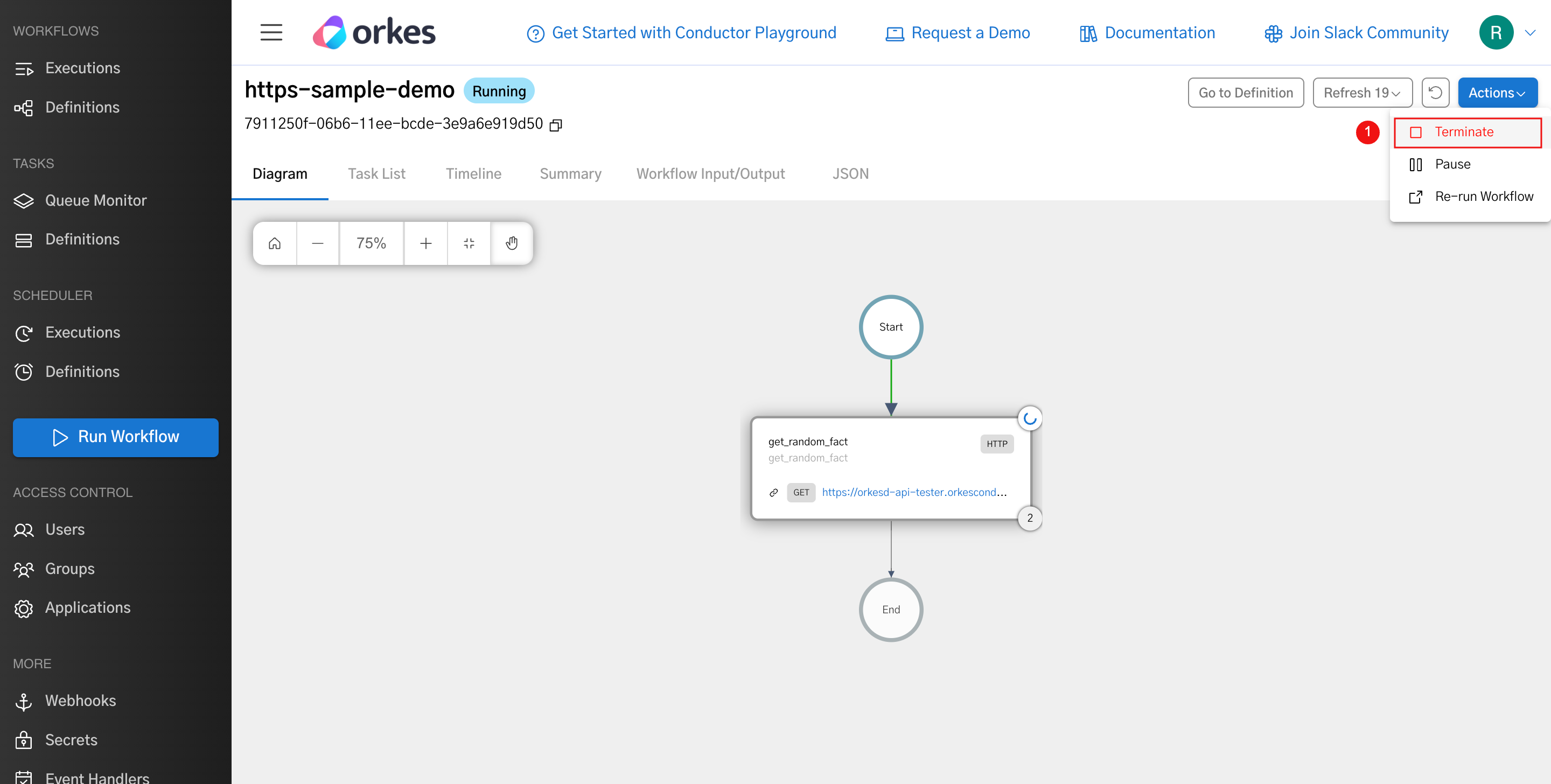
Any changes to the definition won’t impact if the execution is already running. However, if you want to run the latest version, you can terminate the currently running execution and then use the option to restart with the latest definition.
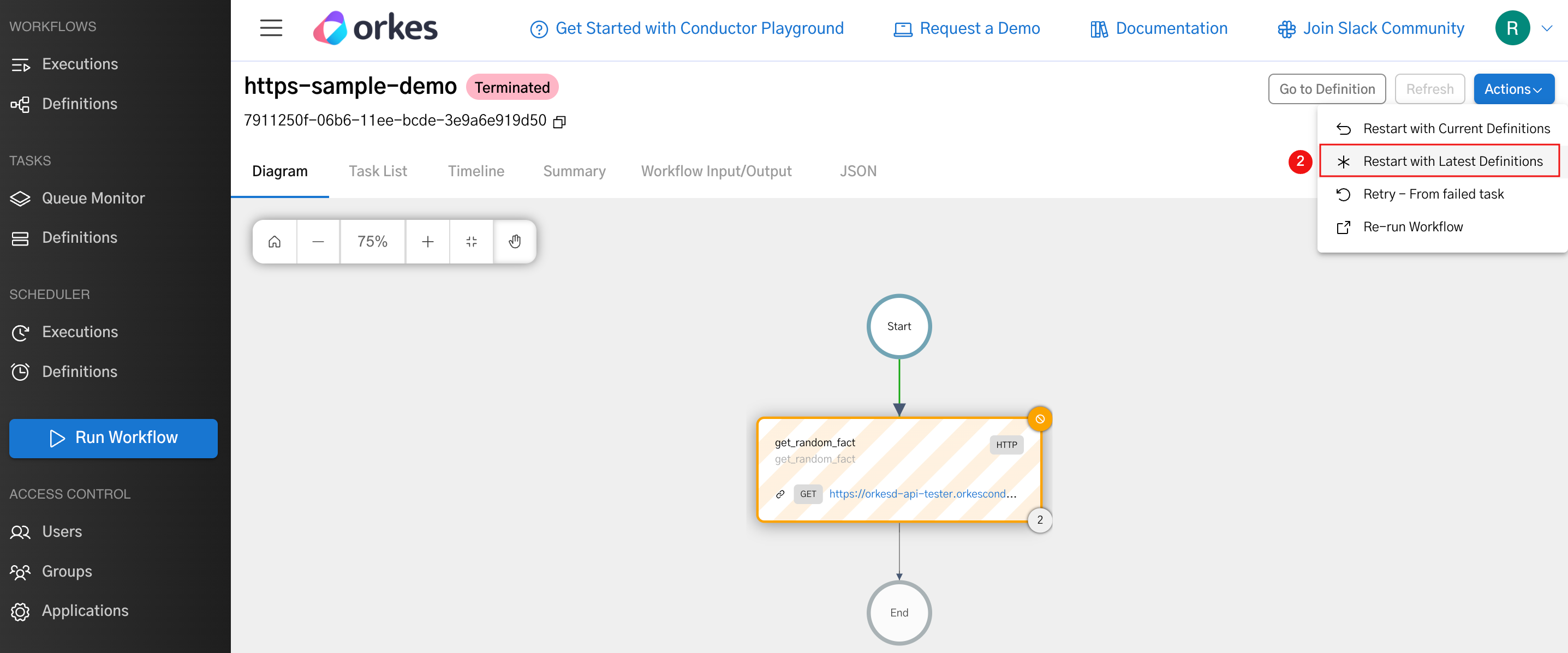
In this case, to be consistent with your business flow, you can leverage the skip task API to skip the task execution that was already completed.